




Grade 10 school selections verification
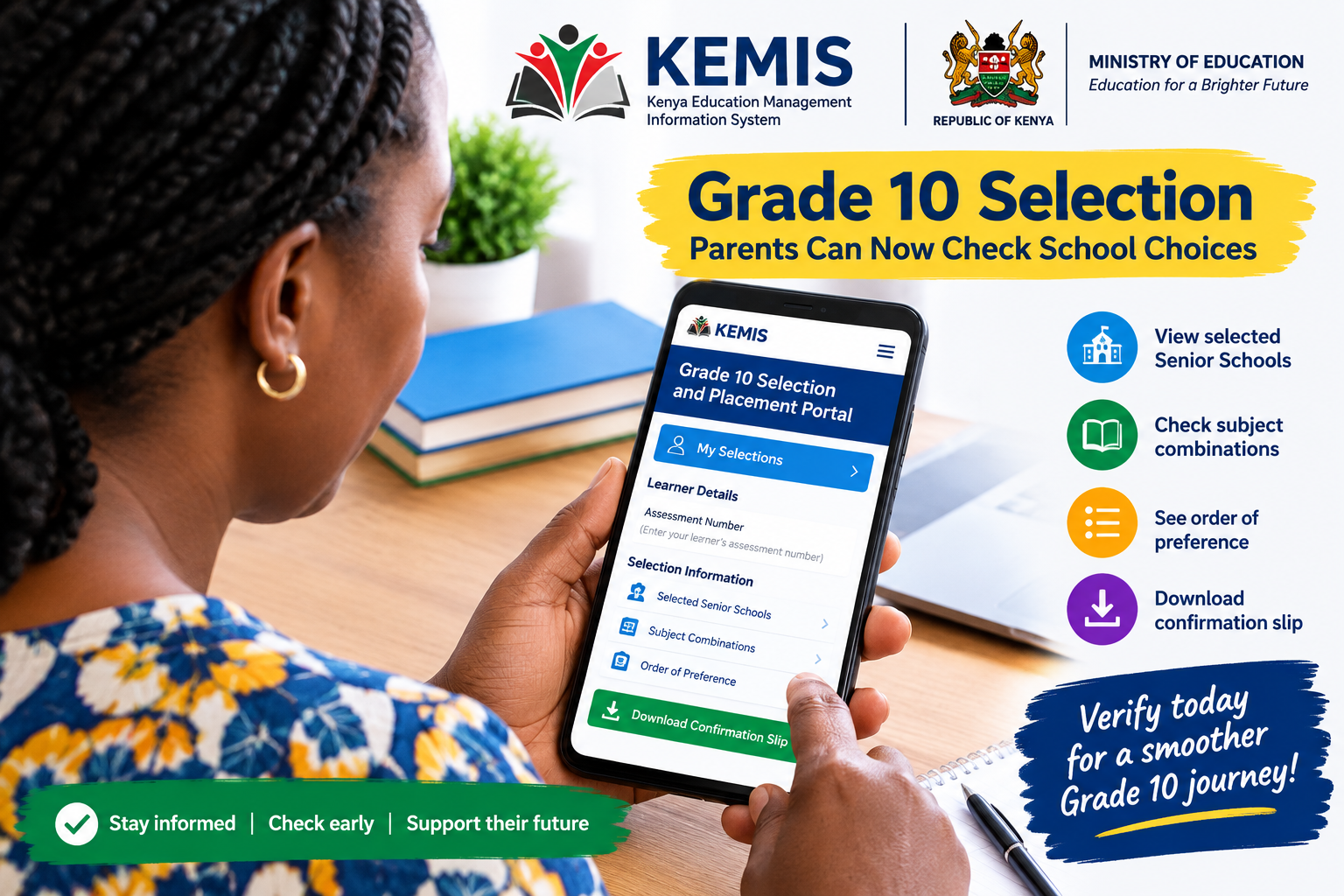
Parents and guardians can now check the Grade 10 Senior School choices submitted for their children through the KEMIS portal, giving families an opportunity to confirm that schools, subject combinations and preferences were captured correctly before placement.
The new verification option is expected to be particularly useful to parents who want to establish exactly what was submitted during the Grade 10 school selection exercise.
Through the Kenya Education Management Information System (KEMIS) Grade 10 Selection and Placement Portal, parents can retrieve a learner’s selection details using the learner’s assessment number.
The information displayed on the portal includes the Senior Schools selected by the learner, together with the relevant subject combinations and their order of preference.
This means parents do not necessarily have to wait for the Grade 10 placement results to find out what choices were recorded for their children.
Parents Can Now See What Was Submitted
The ability to verify selections gives parents an opportunity to check whether the information in the system corresponds with the choices made during the selection exercise.
For families that discussed different schools and pathways with their children, this is an important step.
A learner may have selected several Senior Schools in a particular order, depending on factors such as the preferred pathway, subject combination, school category and other considerations.
Parents can now check those details through the online system and identify any information that may require clarification.
The verification is particularly significant because the Grade 10 transition is an important stage under Kenya’s Competency-Based Education system.
Learners leaving Junior School are expected to proceed to Senior School, where their studies will be organised around selected pathways and subject combinations.
How to Check Grade 10 School Selections
Parents and guardians who want to verify the information can access the official KEMIS Grade 10 Selection and Placement Portal.
After opening the portal, users should select the “My Selections” option.
They will then be prompted to enter the learner’s assessment number.
Once the system successfully retrieves the learner’s record, the selection information should be displayed.
Parents should take time to go through the details instead of checking only the first school listed.
They should confirm:
- The names of the selected Senior Schools.
- The order in which the schools were listed.
- The subject combinations selected.
- Whether the information matches the choices made for the learner.
This check can help parents establish whether the learner’s preferences were captured as expected.
Parents Can Download the Selection Confirmation Slip
The KEMIS portal also provides an option for parents and guardians to download a selection confirmation slip.
Families are encouraged to keep the document safely after downloading it.
The confirmation slip provides parents with a record of the selection information retrieved from the system and may be useful when following up on any issue concerning the learner’s choices.
Parents can save an electronic copy on their phones or computers and, where possible, print a copy for their records.
What Parents Should Do If They Find a Mistake
One of the most important reasons for checking the information early is to identify possible discrepancies before the placement process advances further.
If the information displayed does not correspond with what the learner selected, parents should not ignore the issue.
They should first contact the learner’s school and seek clarification about the information that was submitted.
Parents who experience difficulties retrieving the learner’s record should also confirm that they have entered the correct assessment number.
If the problem continues despite using the correct details, they can seek assistance through the relevant Ministry of Education support channels.
No Selection Information? Check the Assessment Number First
Some users may experience difficulties when attempting to retrieve their children’s records.
Before assuming that the learner has no selection, parents should carefully recheck the assessment number entered into the portal.
An incorrect number can prevent the system from locating the learner’s information.
If the assessment number is correct but the selection details remain unavailable, contacting the learner’s school should be the next step.
Parents should also be cautious about relying on unofficial individuals or websites claiming to have access to Grade 10 placement information.
Why This Update Matters to Grade 10 Families
The verification option gives parents greater visibility into an important part of the transition from Junior School to Senior School.
It allows families to confirm what is recorded in the system before the actual placement outcome is communicated.
For learners whose preferred careers depend on particular subjects, checking the subject combinations is especially important.
A learner interested in a specific career pathway may need to take particular subjects at Senior School. Parents can therefore use the verification stage to ensure that the recorded choices reflect the learner’s intended direction.
Verification Is Not the Same as Placement
Parents should also understand that checking the selections does not mean that the learner has already been placed in a Senior School.
The verification facility allows families to view the choices recorded in the system.
Placement is a separate stage.
Therefore, seeing a particular school listed under the learner’s selections should not be interpreted as confirmation that the learner has been allocated that school.
The final placement outcome will depend on the official placement process and the applicable criteria.
Parents Urged to Check Early
With the Grade 10 transition continuing to attract considerable attention from families, parents have been encouraged to take advantage of the verification opportunity.
Checking the information early is preferable to discovering a discrepancy after the placement process has progressed.
Parents should therefore retrieve their children’s records, examine the school choices and subject combinations carefully, and download the confirmation slip for future reference.
The takeaway for parents
The KEMIS Grade 10 portal has provided parents and guardians with an important opportunity to verify the school choices submitted for their children before the next stage of the placement process.
Using the learner’s assessment number, parents can access the “My Selections” section, review the selected Senior Schools and subject combinations, and download a confirmation slip.
READ ALSO:TTC Intake Freeze: Fresh KCSE Graduates Face Major Change as Kenya Reshapes Teacher Training
For families preparing learners for the transition to Senior School, checking the information now could provide valuable peace of mind and allow any concerns to be raised through the appropriate channels in good time
Grade 10 school selection verification.




[…] READ ALSO:Grade 10 Parents Can Now Check Their Children’s School Choices on KEMIS — Here’s How […]